When creating profiles you can use an ODBC Data source name (DSN) to facilitate the connection to the database. You can create your DSN as either a 'User' or a 'System' DSN (however, if you want to run the EasyHL7 Access Schema Engine Service you will need to use a System DSN or you will have to set up the Service to run as a domain user).
Follow these steps to create a DSN:
| 1. | Open the Control Panel |
| 2. | Select 'Administrative Tools' |
| 3. | Select Data Sources (ODBC) |
| 4. | ... alternatively, you could click on the button next to the DSN field in the Schema Creation window. |
| 5. | Choose the type of DSN you want to set up - *NOTE* You should always create a System DSN. Other types of DSNs may not work when running the EasyHL7 Access Schema Service. |

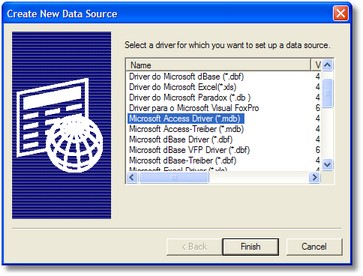
6. Select the Access driver to use
7. Complete the Access Connector page. In addition to the options on this screen there is one item in the Advanced settings which you MUST complete. Click the 'Advanced' button.

8. In the Advanced options set the ExtendedAnsiSQL flag to 1. *VERY IMPORTANT*

9. Press 'Ok' to finish. Your new DSN should now be available to be used by the EasyHL7 Access Schema Engine.
