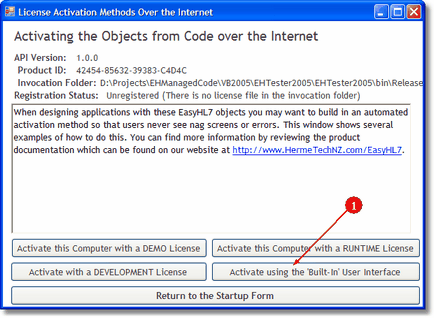
Private Sub btnActivate_Click(ByVal sender As System.Object, ByVal e As System.EventArgs) Handles btnActivate.Click
'In this sub we are showing a generic product activation.
'An internet connection is required.
Try
Dim oVendor As New EHL7_mc2005.HL7Vendor
Dim sComment As String = "", sMessage As String = ""
Dim oLicense As EHL7_mc2005.ProductLicense
oLicense = oVendor.NewProductLicense()
If MsgBox("Show the user interface with the option to activate a Developer's license?", _
MsgBoxStyle.YesNo, "Show Which Method") = MsgBoxResult.No Then
'By passing FALSE in (or omitting) the optional 4th parameter
'there will be no option for the user to activate
'the computer with a developer's license
If Not oLicense.ShowActivation1(, , , False) Then
If oLicense.IsError Then
MsgBox(oLicense.LastError, MsgBoxStyle.ApplicationModal, "Error")
End If
oLicense = Nothing
Exit Sub
End If
Else
'By passing TRUE in the optional 4th parameter there will be an option
'for the user to activate the computer with a developer's license
If Not oLicense.ShowActivation1(, , , True) Then
If oLicense.IsError Then
MsgBox(oLicense.LastError, MsgBoxStyle.ApplicationModal, "Error")
End If
oLicense = Nothing
Exit Sub
End If
End If
oLicense = Nothing
oVendor = Nothing
LoadVendorInfo()
Catch ex As Exception
MouseOff()
MsgBox(ex.ToString)
End Try
End Sub
|