Before you can browse the HL7 Schema, you have to connect to MS SQL Server. When you start the program you are presented with the Log In window.
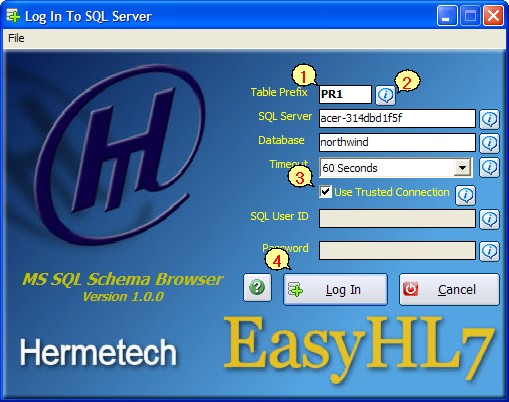
The Login Window
|
Enter the Schema Prefix, the SQL Server name, and the name of the database. If you do not know what these are, then you should contact your SQL Server administrator or whomever created the database. |
|
For a 'Quick Tip' on any field click the info buttons. |
|
The Schema Browser supports the use of 'Trusted Connections'. This means that the program will attempt to connect to SQL server using the MS Windows / Network login you are currently logged in as. If checked, you don't have to enter a user ID or password. If unchecked, you must enter a valid SQL Server user id and password. Again contact your SQL Server Administrator if you are unsure which option to choose here. |
|
After you've completed all of the fields click 'Log In' and voila, you're done you can now build queries and browse the schema. Every time you successfully log in, the program will save your connection information (except for the password) and load it again the next time you log in. |


