The Main Window

Contents
The main window will show you all of your configured router profiles as well as your product license information (Demo or Live or Developer). After your system starts for the first time you'll want to create at least 1 router profile.
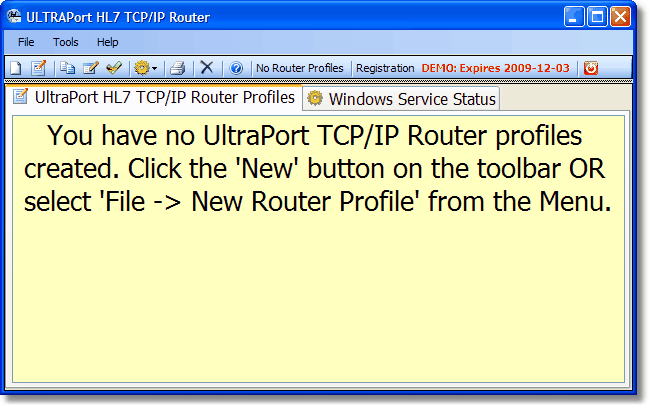
Initial startup. Demo license with no router profiles
From the main window you can also open the global settings window, run system reports, validate your profiles, access online help and download some other useful tools from the HermeTech website like the free UltraPort HL7 Service Monitor, the UltraPort Router Proxy Toolkit for Microsoft Visual Studio.Net. You can also check the status of the windows service.
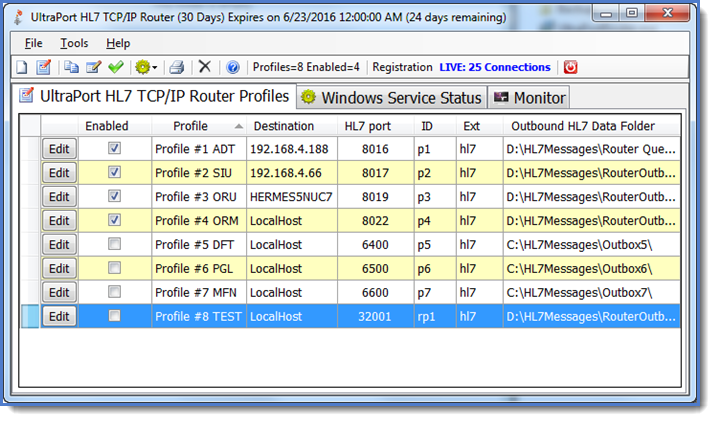
The Main Window. Activated Short Term License
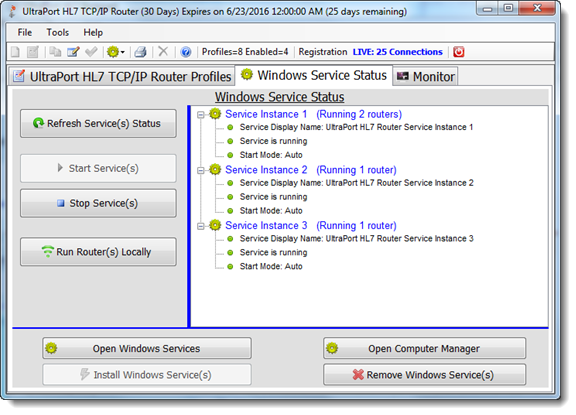
The Service Status Tab

|
Create a new router profile. |
|
Edit the selected router profile. |
|
Create a new router profile by cloning the selected profile. |
|
Check your profiles for errors and conflicts. |
|
(Drop Down Menu) Start Service / Stop Service / Open Services / Run Locally. |
|
View / Print a system report |
|
Delete the selected profile |
|
Opens this online help. |


