Running Profiles Locally

Contents
The UltraPort listeners can be run two different ways. Licensed users can install and run the MS Windows Service (see Running as a Service) OR they can opt to run 'locally'. Unlicensed users can ONLY opt to run their listener locally while in 'DEMO' mode, they cannot install or run the MS Windows Service.
Running profiles 'locally' gives you the opportunity to run your HL7 Listener as a desktop application right from within the configuration window. Doing this has advantages and disadvantages. It's nice in that you have a nice user interface and can actually SEE your listeners run. The big disadvantage is that desktop applications are not fault tolerant and can't be configured to start up automatically when the system boots up as a Windows service application can.
IMPORTANT: You CANNOT run locally if ANY of the Listener MS Windows Services are running.
EQUALLY IMPORTANT: While you are running locally you SHOULD NOT attempt to start any of the UltraPort Listener MS Windows Services.
To run your listener locally click the 'Run Listener Profiles Locally' button in the 'Windows Service Status' tab (see below) or from the menu on the main toolbar.
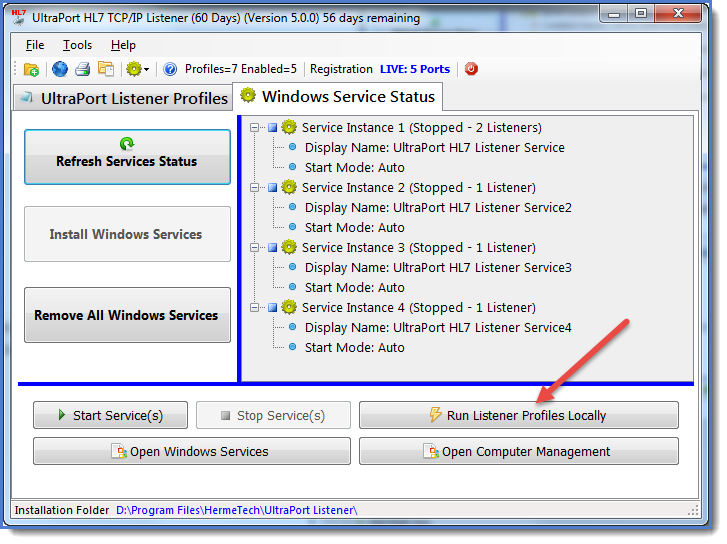
Click the 'Run Listener Profiles Locally' button
After clicking 'Run Listener Profiles Locally' and only IF you have more than 1 enabled listener profile an option window will open allowing you to select which listener profiles you wish to run. Make your selection by checking or unchecking each listener profile. You can also click the 'Select All' and 'Deselect All' buttons.
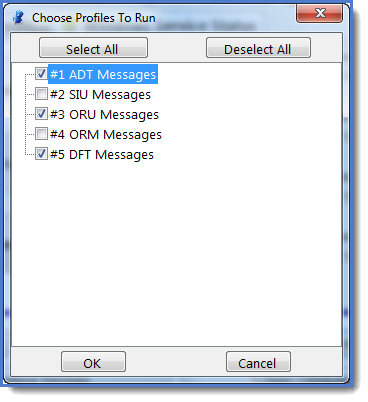
Choosing Which Listener Profiles To Run
This will bring up the local listener processing window. Click the 'Start Listener(s)' button ( ) on the toolbar of this window to start your listener(s).
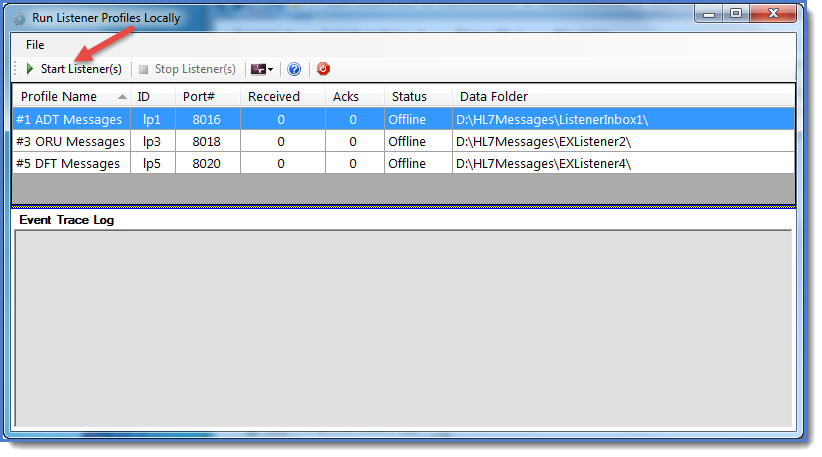
Running Locally (Waiting To Start)
Click the 'Stop Listener(s)' button ( ) at any time to halt your listener(s).
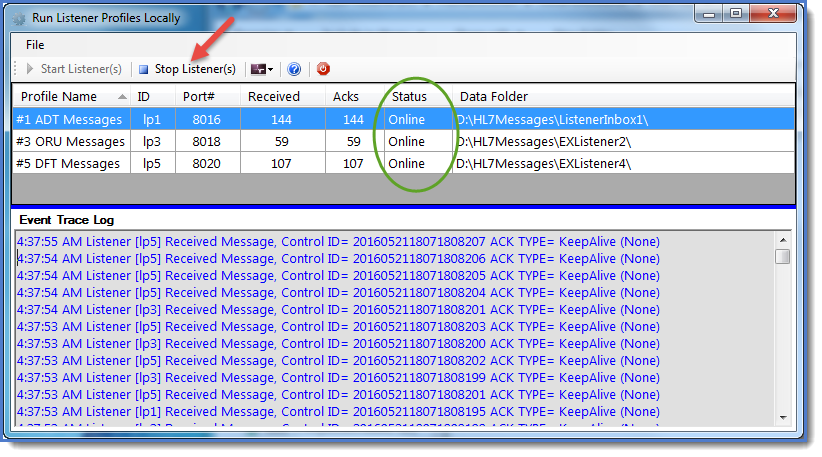
Running 3 Listener Profiles At Once