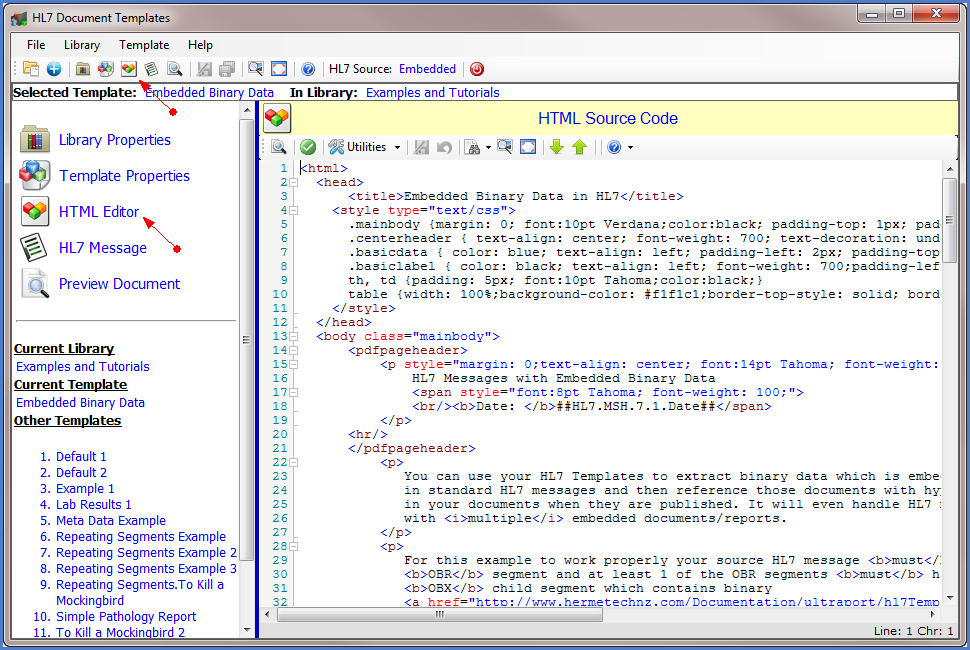
 To open the HTML Source Code / HTML Editor panel look for this image (
 ) in the toolbars and menus
 . All HL7 Document Templates are basically HTML documents with a very wide range of HTML code supported even through HTML5. Your Template HTML must conform to XHTML rules with a couple of exceptions (see HTML Rules). If you're not sure whether a particular HTML feature will work or not in an UltraPort HL7 Document then our advice is to try it and see, and if something doesn't work as expected then contact HermeTech and provide feedback. We always listen to our customers and we are always striving to make our products better.
The vast majority of 3rd party HTML authoring programs use 1 of 2 approaches. They either use a WYSIWYG (What You See Is What You Get) approach or the "Edit and Preview" approach where you make changes to your HTML and then Preview the result in a web-browser. At HermeTech we opted for the latter. We did not include a WYSIWYG HTML editor option on purpose for several reasons:
1.Experienced HTML authors already have their own favorite method of editing HTML and we didn't want to burden them with anything that we could develop. Opting instead to make sure that it was easy to move HTML code in and out so that people could use their favorite HTML editors and use the Template Editor to do final testing and clean-up.
2.For novice HTML authors we honestly did not feel, given the wealth of free resources available online, that any WYSIWYG solution we could create would be adequate for beginners.
3.We felt that our customers would be better served if we concentrated our efforts into making it easy to bring HTML code (either Snippets or Full Documents) from other sources into the HL7 Template Editor, validating the Template HTML for errors ( ), and making it easy to test (Preview) your HTML source code.
See Designing Templates-->Template HTML for more details about editing templates
See Also: Using the Full-Screen Editor, HTML Resources Online.